
Ask ten signage vendors which operating system is better and you’ll get ten confident answers. Most of them are really answering a different question: which one is easier for them to ship.
For you, the better question is narrower. Which one fits your content system, your team and the number of years the screens have to run?
This article is part of our guide to choosing a digital signage player. It covers the OS decision only.
Why Android dominates digital signage players
Android didn’t win signage because it’s technically superior. It won because the ecosystem around it is already there.
- Many CMS platforms ship an Android player app. You install it, pair the screen, and you’re running.
- The management model is familiar. If your team has handled Android tablets, a signage player feels the same: app installs, remote updates, permission settings.
- Hardware is affordable and compact. Android boxes are small enough to hide behind a display, across a wide price range.
- Help is easy to find. Developers, forums and tooling are everywhere.
For a retail chain or office rollout using a standard CMS, that adds up to less engineering and a faster launch. That’s the real reason, and it’s a good one.
Where Android costs you
Android’s convenience comes with trade-offs that rarely show up in a sales deck.
Updates depend on the vendor, not on Google. Embedded players usually run an Android build supplied by the board maker. Whether you get newer Android versions and security patches depends on that vendor’s support, not on the Android roadmap.
Your CMS app may expect more than the player provides. Many embedded Android players use AOSP-based firmware rather than a Google-certified Android build with Google Mobile Services (GMS). If your CMS app depends on Google services, confirm compatibility before you buy.
You get less control. A locked-down, single-purpose setup is possible, but it takes more work than it does on Linux.
The OS can be heavier than the job needs. For a player that only runs one app in full screen, that’s overhead you’re maintaining anyway.
Where Linux earns its place
Linux asks more of you up front. In return, you control what runs.
- A minimal, locked-down image. You decide what’s installed. Less software means fewer things to patch and fewer things that can go wrong.
- Long-life stability. For installations that must stay untouched for years, a frozen image is attractive.
- Freedom to build your own player. If your product is the player, such as a custom kiosk or a branded device, Linux gives you the room to do it.
- A fit for a wider range of hardware designs. Embedded Linux builds such as Debian or Buildroot are common on industrial boards.
The cost is real. Someone has to build and maintain the image, integrate the player software and handle video decoding properly. On embedded ARM chips, hardware video decoding depends on the vendor’s multimedia stack, and browser-based playback behaves differently from platform to platform. Test your own content on the actual hardware, not a demo clip.
How to decide
Don’t start with a preference. Start with four facts.
| Question | Android | Linux |
|---|---|---|
| What does your CMS support? | The CMS provides a compatible Android app | The CMS supports a Linux player or a tested browser-based deployment |
| Who maintains the software? | You want the vendor and CMS provider to handle it | You have engineers, or you’re building your own product |
| How long must it stay unchanged? | A normal hardware refresh cycle | Many years, with tight control over updates |
| How much customization do you need? | Little: install the app and go | A lot: custom UI, locked-down behavior or unusual hardware |
If most answers sit in one column, you have your answer. If they’re split, the first row usually wins. A player that doesn’t work with your CMS is a problem that no amount of customization will fix.
Common mistakes
Choosing by familiarity. “We know Android” is a fine tiebreaker, not a reason.
Ignoring the update plan. A player without a clear security-update and maintenance path becomes a liability, whichever OS it runs.
Testing with sample content. A short test clip says little about how a player handles your real files, your CMS and days of continuous playback.
What to ask the vendor
- Which OS versions and images do you provide for this player, and how long do you support them?
- Do you supply security and firmware updates, and for how long?
- Is BSP maintenance included over the product’s life?
- Which CMS platforms are known to work, and can I test mine?
- Is a custom or locked-down image possible?
A vendor who answers these clearly is easier to work with after the sale as well.
Where Geniatech fits
Choosing between Android and Linux is not just an OS decision. It also depends on the hardware platform, software support and level of customization your project requires.
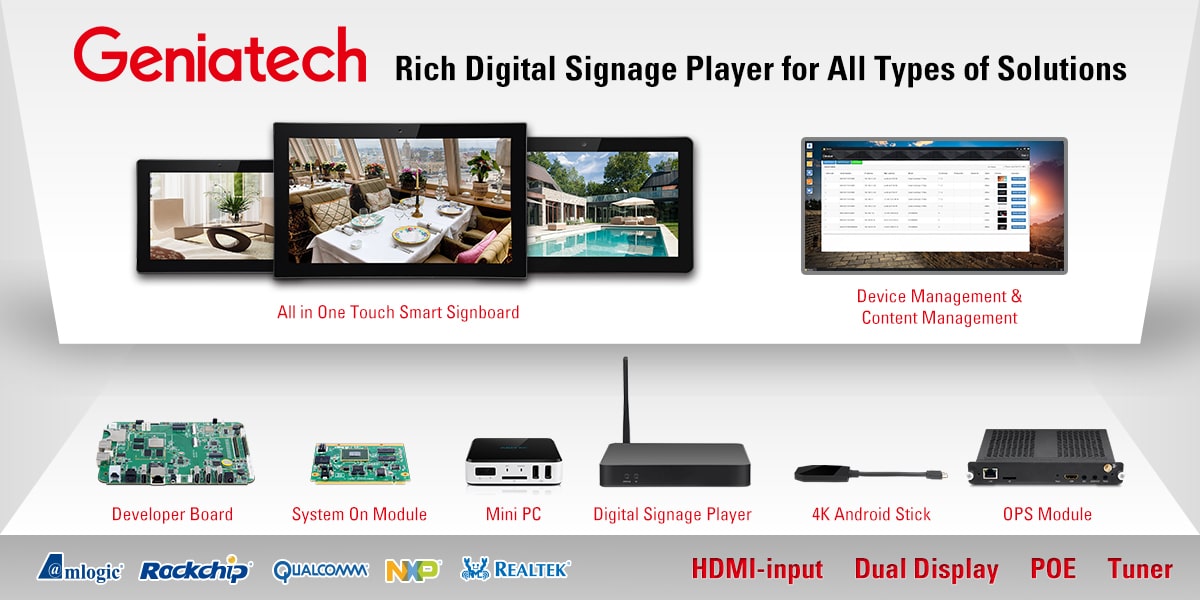
Geniatech’s Android digital signage players are built on AOSP, with signage-specific APIs for functions such as CEC, IR blaster, RS232, hiding the status bar and HDMI input handling. For tighter control, installation of APKs from SD or USB can be disabled. The APC3588Q, for example, runs Android 14 on the Rockchip RK3588.
For projects with specific CMS requirements, custom interfaces or long-term maintenance needs, Geniatech also provides bug-fix and update services, SDK support and custom development.
Whether you need a ready-to-deploy signage player or a customized platform, send us your CMS, screen count and operating environment, and we’ll help you work out which platform and OS image fit.
Frequently asked questions
Why do most digital signage players use Android?
Mainly because many CMS platforms provide an Android player app, the management model is familiar, and the hardware is affordable and compact.
Is Linux better than Android for digital signage?
Neither is better in general. Linux gives more control over the software image. Android gives a faster setup with common CMS platforms.
Can I run a browser-based CMS on Linux?
Often yes. Check how the player handles hardware video decoding in the browser, because results vary by platform.
Do I need Google Mobile Services (GMS) on a signage player?
Only if your CMS app requires them. Many embedded players use AOSP-based firmware without GMS, so confirm compatibility before you buy.
How long should an OS be supported?
That depends on your deployment, but ask for a specific commitment on updates and BSP maintenance rather than a general assurance.
The short version
If your CMS has an Android app and you want a fast, low-effort rollout, choose Android. If you’re building your own player, or need a tightly controlled image for many years, choose Linux. Before either, get the update policy in writing, and test your own content on the real hardware.
To talk through a project, contact the Geniatech team with your CMS, screen count and operating environment.